Meditation app UI template.
A complete UI design for a meditation and sleep app: eight phone screens for a sample app called Stillpoint, from today’s pick and a seven-day course to the player, a breathing guide, sleep stories, and progress. The streak, minutes, and course progress match on every screen, and every screen is plain HTML with Tailwind, so Codex or Claude Code can clone it and turn it into your app.
Updated November 7, 2026
Mobile app · 8 screens · Free and open source
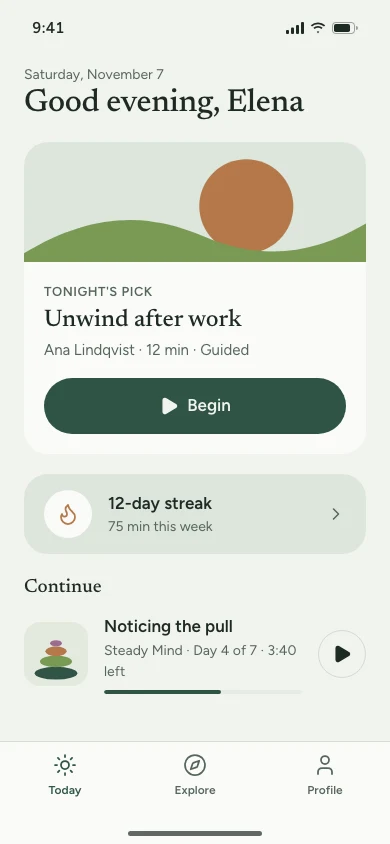
01Today 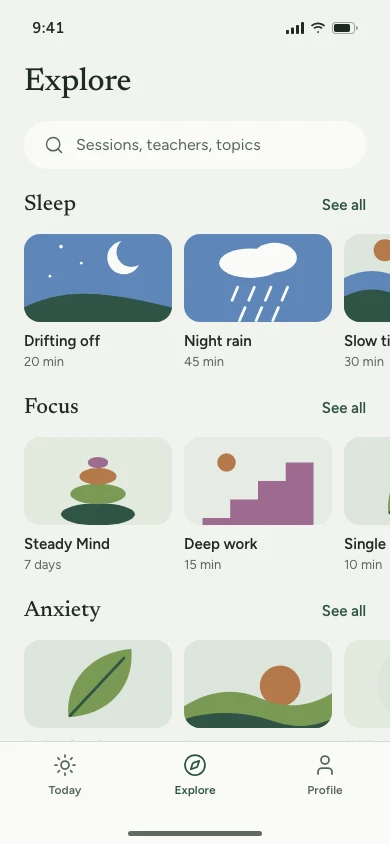
02Explore 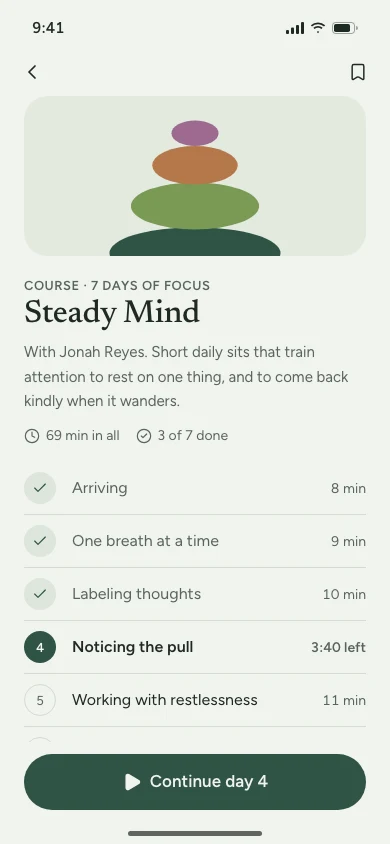
03Course 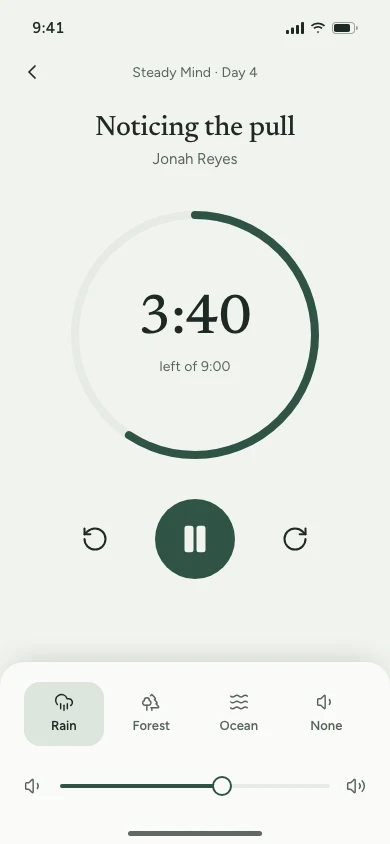
04Player 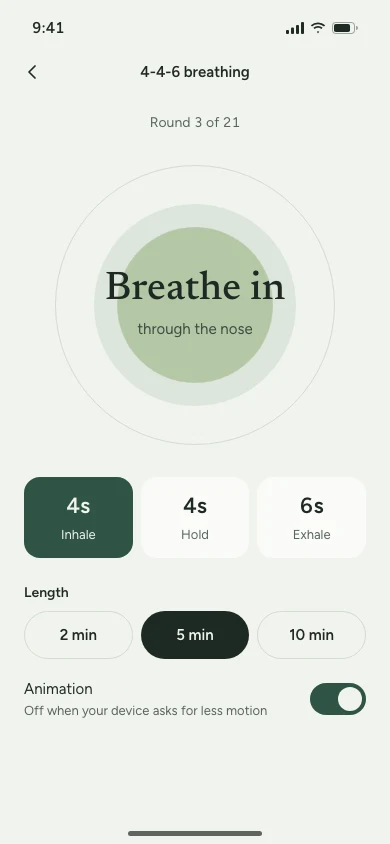
05Breathing 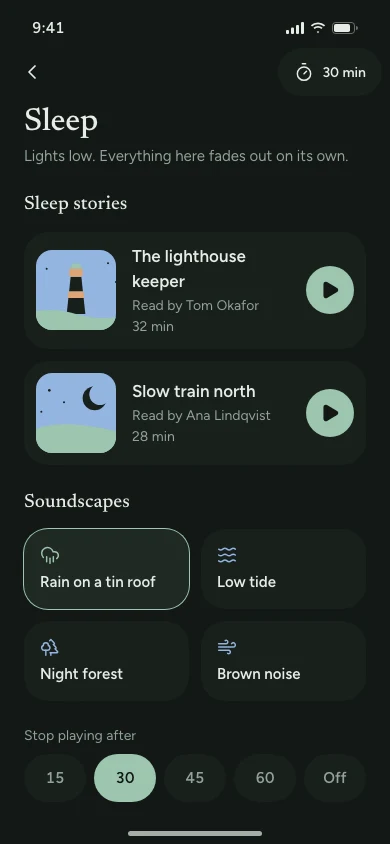
06Sleep 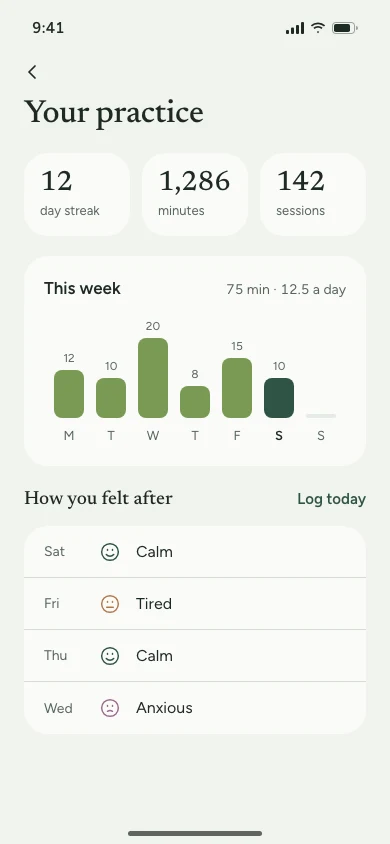
07Progress 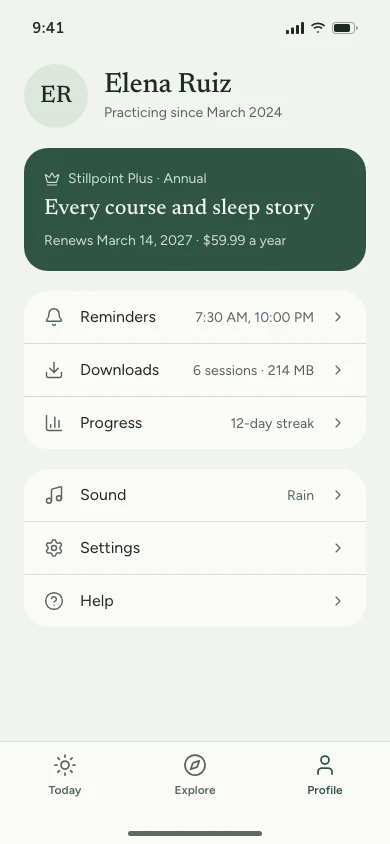
08Profile
Clone it
npx degit ummydev/ui-templates/apps/meditation my-app
Copies just this template into a new folder, without the rest of the repository.
Make it yours
This is the Meditation app template from codexdesign.io. Rename it to [your product], replace the sample data with [your features], and keep every screen on the design system in DESIGN.md.
Paste this into Codex or Claude Code in the new folder.
- Built with
- HTML · Tailwind CSS v4 · Lucide icons · SVG illustrations
What’s in the template
| Screen | What’s on it |
|---|---|
| Today | Tonight’s pick, the streak, minutes this week, and the session to continue |
| Explore | Sleep, focus, anxiety, and breathing, each a row of sessions with their length |
| Course | A seven-day course with its teacher, every session, and what’s done |
| Player | A progress ring, time left, skip back and forward, and a background sound |
| Breathing | A 4-4-6 breathing guide with rounds, length, and an animation that respects settings |
| Sleep | Always dark: sleep stories, soundscapes, and a timer that stops playback |
| Progress | Streak, total minutes and sessions, this week’s chart, and a mood log |
| Profile | Subscription, reminders, downloads, sound, and settings |
The sample data is one person’s practice on a Saturday evening: a 12-day streak, 75 minutes this week, and 1,286 minutes over 142 sessions in all. The Steady Mind course has seven sessions totaling 69 minutes; three are done, and day 4 shows 3:40 left of 9:00 on the Today, Course, and Player screens alike. The breathing rhythm is 4 seconds in, 4 held, and 6 out, so five minutes is 21 rounds, and the animation stops when the device asks for less motion.
Each screen is one HTML file at 390×844, styled with Tailwind CSS v4 and a shared tokens.css. Illustrations are flat SVG shapes in the system’s colors, with no gradients or glow, and icons are Lucide. Open any file in a browser; there is nothing to install or build.
Use it with Codex or Claude Code
Copy just this template from the ui-templates repository:
npx degit ummydev/ui-templates/apps/meditation my-meditation-app
Then ask your agent to make it yours:
This folder is a meditation app UI template. Turn it into [your app name], for [who it's for]. Keep DESIGN.md and tokens.css as the design system, replace the courses, teachers and sounds with [your content], and keep the streak, minutes and session progress consistent across screens. Then build these screens in [Expo / SwiftUI / your stack].
Because the design system is written down in DESIGN.md, new screens your agent adds, such as journaling or a bedtime routine, will match the eight that are already there.
Built on the Calm design system
The template uses Calm, a design system for wellness apps: a soft sage background, deep green for actions, Newsreader for titles and Figtree for text, 24px corners, 48px touch targets, and a three-item tab bar. Its page has a live preview, the full DESIGN.md, and a shadcn theme. Calm is only the name of the design system; the template isn’t affiliated with any app of that name.
Frequently asked questions
Is this meditation app template free?
Yes. It’s open source under the MIT license, for personal and commercial projects.
Is there a dark theme?
Yes. Add class="dark" to the <html> tag of any screen to switch it to Calm’s dark theme. The Sleep screen is always dark, because people open it at night.
Does the breathing animation work with reduced motion?
Yes. It is plain CSS and stops when the operating system’s reduce-motion setting is on, and the screen still shows each phase and its length as text.