Food delivery app UI template.
A complete UI design for a food ordering and delivery app: eight phone screens with realistic restaurants, dishes and prices, from the home feed to checkout and live order tracking. Every screen is plain HTML with Tailwind, so Codex or Claude Code can clone it and turn it into your app.
Updated November 6, 2026
Mobile app · 8 screens · Free and open source
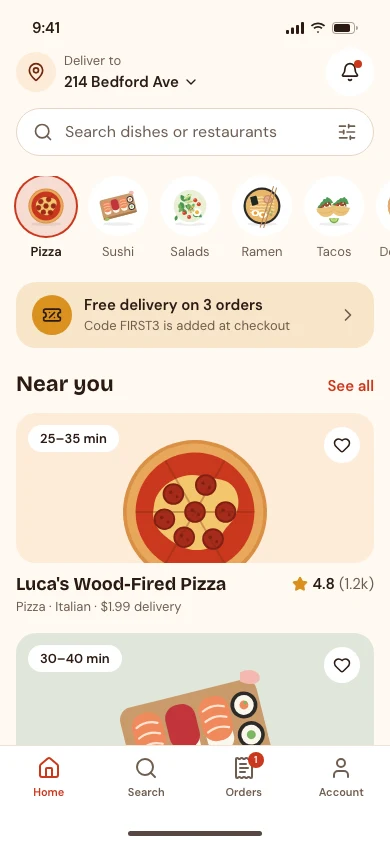
01Home 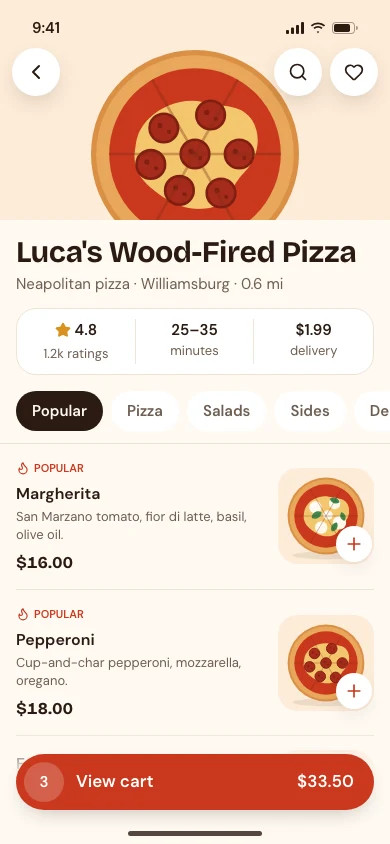
02Restaurant 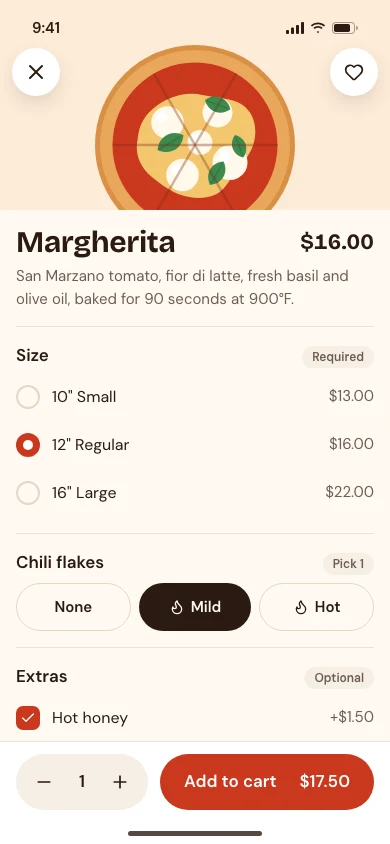
03Item 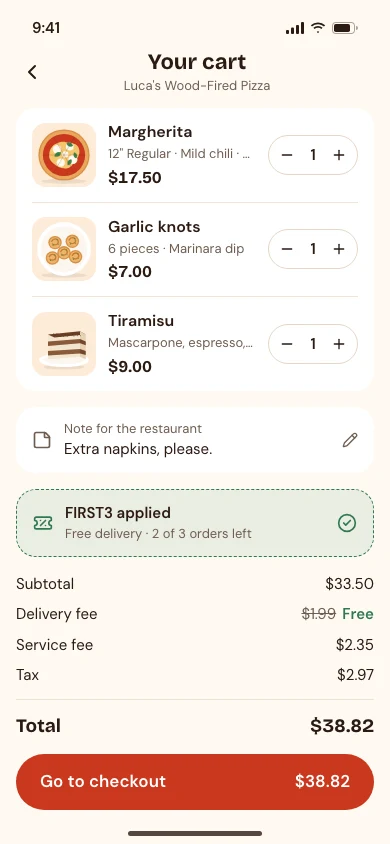
04Cart 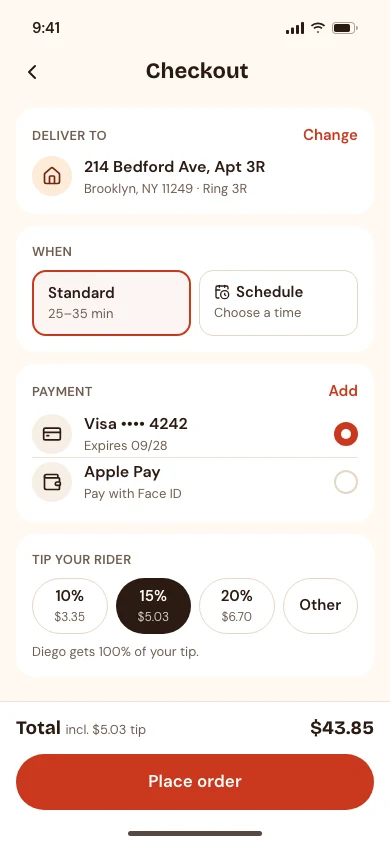
05Checkout 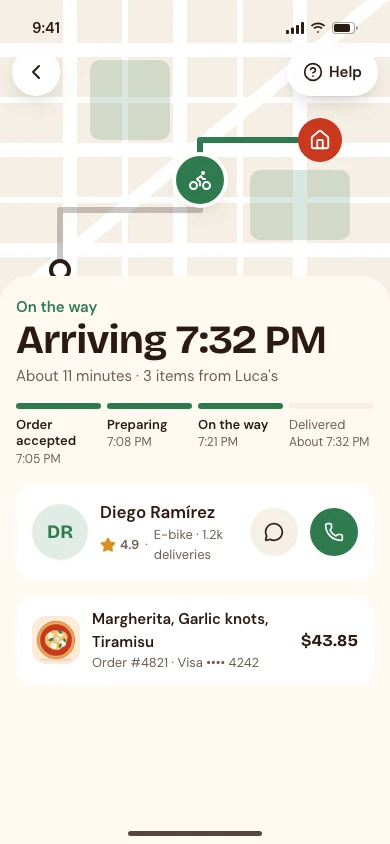
06Tracking 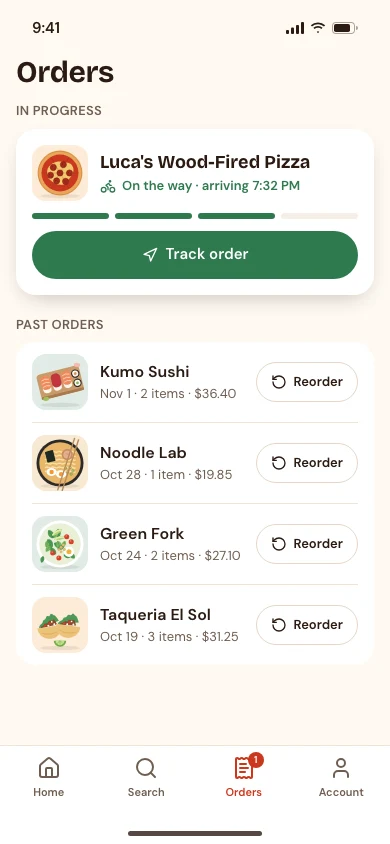
07Orders 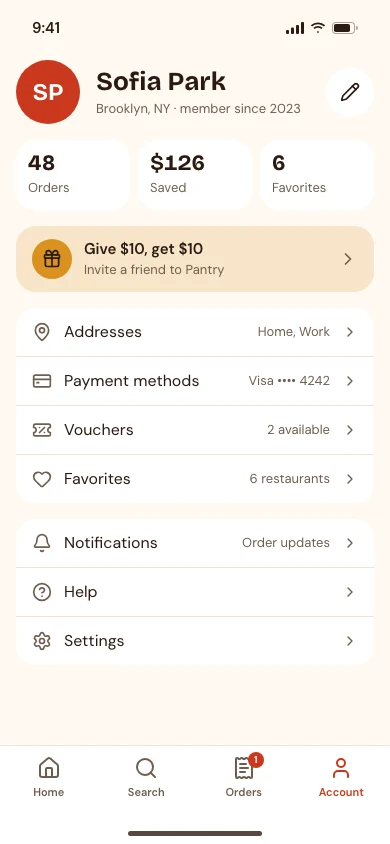
08Account
Clone it
npx degit ummydev/ui-templates/apps/food-ordering my-app
Copies just this template into a new folder, without the rest of the repository.
Make it yours
This is the Food delivery app template from codexdesign.io. Rename it to [your product], replace the sample data with [your features], and keep every screen on the design system in DESIGN.md.
Paste this into Codex or Claude Code in the new folder.
Design system
PantryAppWarm, friendly and appetizing, for food and ordering apps.Headings in Bricolage Grotesque- Built with
- HTML · Tailwind CSS v4 · Lucide icons · SVG illustrations
What’s in the template
| Screen | What’s on it |
|---|---|
| Home | Delivery address, search, cuisine categories, an offer, and restaurants near you |
| Restaurant | Rating, delivery time and fee, menu tabs, dishes with add buttons, and a sticky cart bar |
| Item | Description, size, spice level and extras with prices, quantity, and add to cart |
| Cart | Items with quantity steppers, a note for the restaurant, a promo code, and the fee breakdown |
| Checkout | Address, standard or scheduled delivery, payment method, rider tip, and place order |
| Tracking | A map with the rider, arrival time, order steps, rider contact, and the order summary |
| Orders | The order in progress, and past orders you can reorder |
| Account | Profile, totals, a referral offer, addresses, payment methods, and settings |
Each screen is one HTML file at 390×844, styled with Tailwind CSS v4 and a shared tokens.css. The dishes are 12 flat SVG illustrations included in the template, so there are no external images. Open any file in a browser; there is nothing to install or build.
Use it with Codex or Claude Code
Copy just this template from the ui-templates repository:
npx degit ummydev/ui-templates/apps/food-ordering my-food-app
Then ask your agent to make it yours:
This folder is a food delivery app UI template. Turn it into [your app name], for [your restaurants or your market]. Keep DESIGN.md and tokens.css as the design system, replace the sample restaurants, dishes and prices with [your menu], and replace the illustrations with your own photos. Then build these screens in [Expo / SwiftUI / your stack].
Because the design system is written down in DESIGN.md, new screens your agent adds, such as a restaurant search or a loyalty page, will match the eight that are already there.
Built on the Pantry design system
The template uses Pantry, a design system for food and ordering apps: a cream background, tomato red for ordering, herb green for delivery and success, big rounded food cards, pill buttons, and 48px touch targets. Its page has a live preview, the full DESIGN.md, and a shadcn theme.
Frequently asked questions
Is this food delivery app template free?
Yes. It’s open source under the MIT license, for personal and commercial projects, including the dish illustrations.
Can I use it in Figma?
The template is HTML, not a Figma file, which is what lets an AI agent read and change it directly. Its screenshots work as references, and the colors and fonts in DESIGN.md can be set up as Figma styles.
Is there a dark theme?
Yes. Add class="dark" to the <html> tag of any screen to switch it to Pantry’s dark theme.