Running app UI template.
A complete UI design for a running and fitness tracking app: eight phone screens with realistic data, from the weekly goal to the live run and the training plan. Every screen is plain HTML with Tailwind, so Codex or Claude Code can clone it and turn it into your app.
Updated November 6, 2026
Mobile app · 8 screens · Free and open source
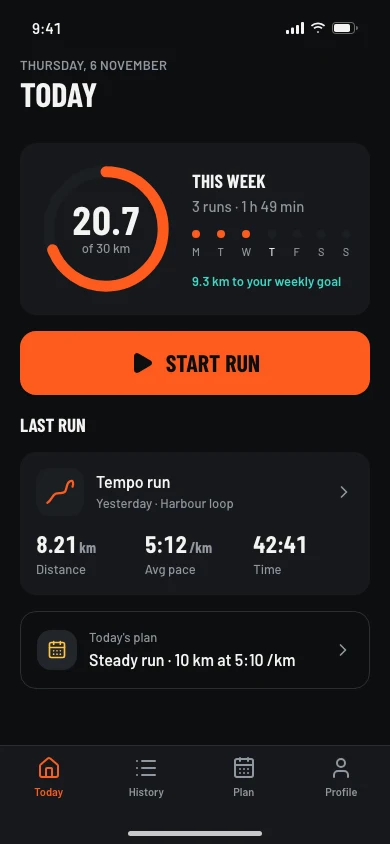
01Today 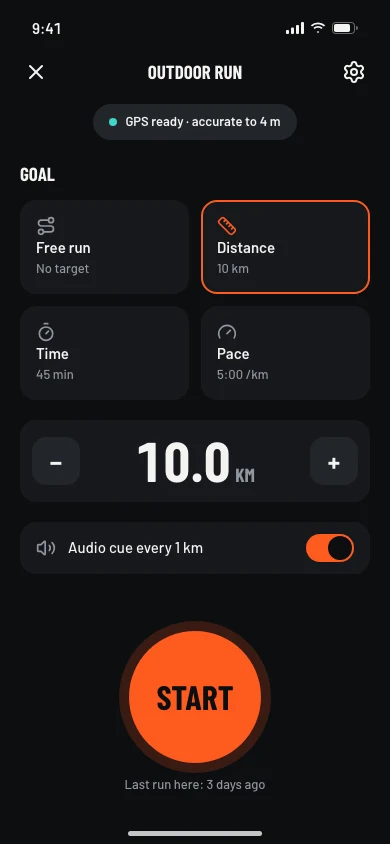
02Start run 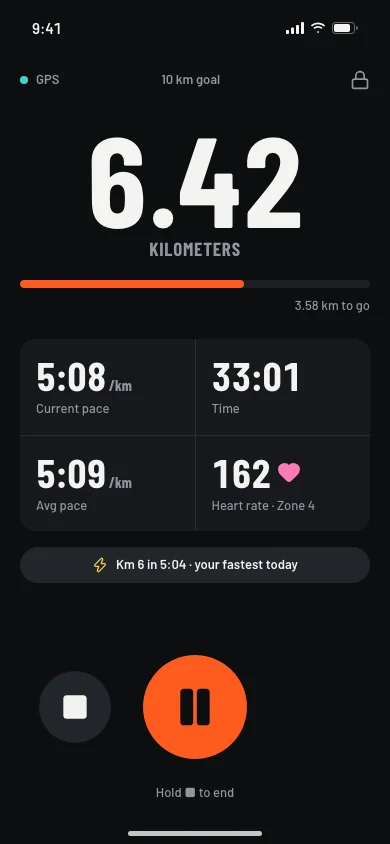
03Running 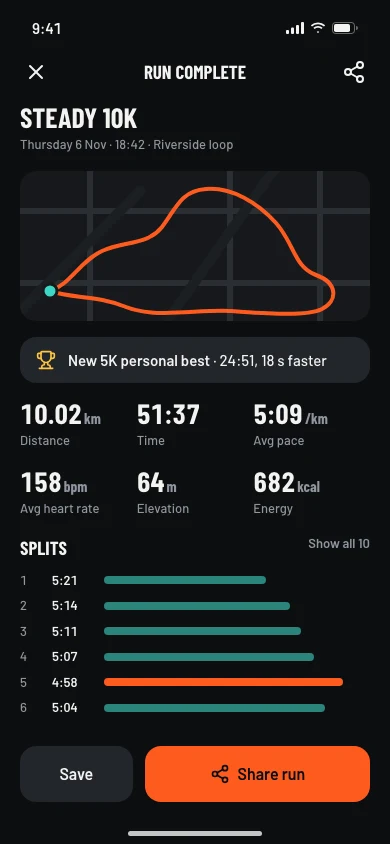
04Run summary 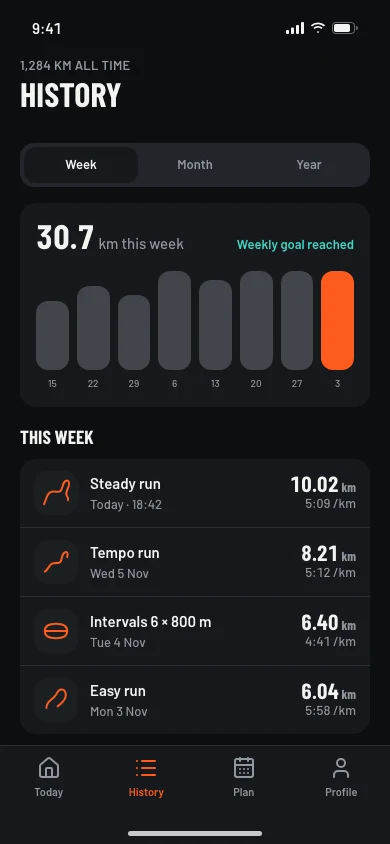
05History 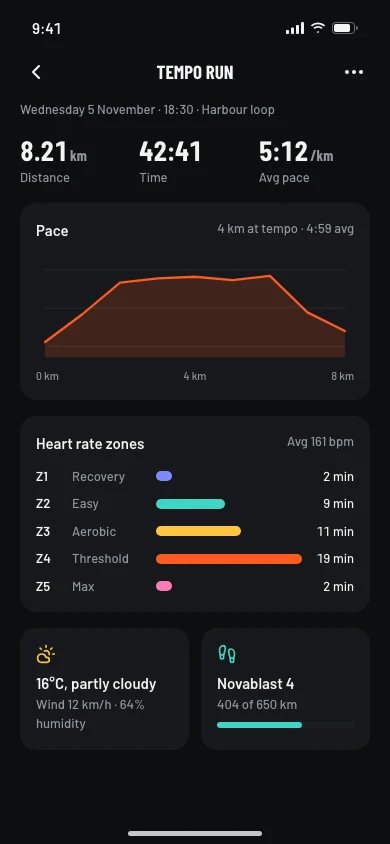
06Run detail 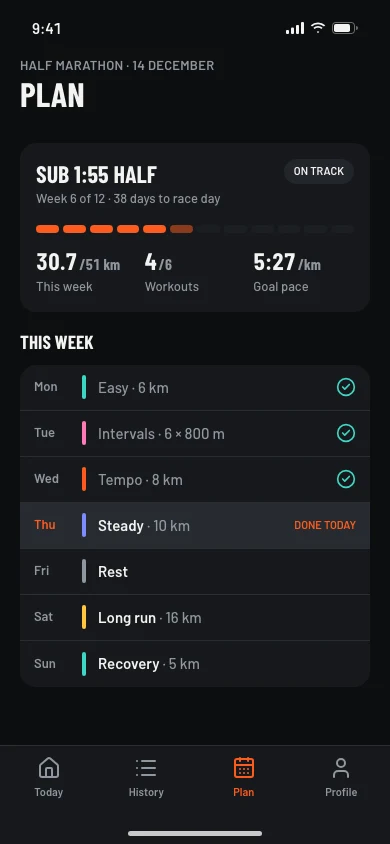
07Plan 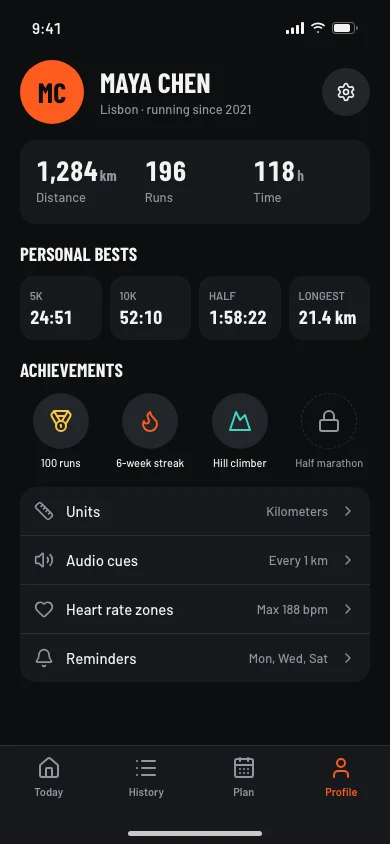
08Profile
Clone it
npx degit ummydev/ui-templates/apps/running my-app
Copies just this template into a new folder, without the rest of the repository.
Make it yours
This is the Running app template from codexdesign.io. Rename it to [your product], replace the sample data with [your features], and keep every screen on the design system in DESIGN.md.
Paste this into Codex or Claude Code in the new folder.
Design system
StrideAppBig condensed numbers and an energetic orange for movement apps.Headings in Barlow Condensed- Built with
- HTML · Tailwind CSS v4 · Lucide icons
What’s in the template
| Screen | What’s on it |
|---|---|
| Today | Weekly distance ring, a start button, the last run, and today’s planned workout |
| Start run | GPS status, goal type (free run, distance, time or pace), and audio cues |
| Running | Live distance, pace, time, and heart rate, with pause and stop in thumb reach |
| Run summary | The route, a personal best, key stats, kilometer splits, and sharing |
| History | A weekly distance chart and a list of recent runs |
| Run detail | A pace chart, heart rate zones, weather, and shoes |
| Plan | Half marathon plan progress and this week’s workouts |
| Profile | Totals, personal bests, achievements, and settings |
Each screen is one HTML file at 390×844, styled with Tailwind CSS v4 and a shared tokens.css. Open any file in a browser; there is nothing to install or build. Screens are dark by default, with a light theme built in.
Use it with Codex or Claude Code
Copy just this template from the ui-templates repository:
npx degit ummydev/ui-templates/apps/running my-running-app
Then ask your agent to make it yours:
This folder is a running app UI template. Turn it into [your app name], a [what your app does]. Keep DESIGN.md and tokens.css as the design system, replace the sample data with [your data], and rename the tabs to fit the app. Then build these screens in [Expo / SwiftUI / your stack].
Because the design system is written down in DESIGN.md, new screens your agent adds will match the eight that are already there.
Built on the Stride design system
The template uses Stride, a design system for movement apps: big condensed numbers with tabular digits, one energetic orange for actions and progress, 16px corners, 48px touch targets, and a bottom tab bar. Its page has a live preview, the full DESIGN.md, and a shadcn theme.
Frequently asked questions
Is this running app template free?
Yes. It’s open source under the MIT license, for personal and commercial projects.
Which stack is it built with?
HTML and Tailwind CSS v4, so any AI agent can read and change it. Ask your agent to rebuild the screens in React Native, Expo, SwiftUI, Flutter, or your web framework when you’re ready.
Can I use a light theme?
Yes. Remove class="dark" from the <html> tag of any screen to switch it to Stride’s light theme.