 Codex Design
Project management dashboard template.
A complete project management dashboard for a sample design studio called Northfold, in three desktop screens: an overview with KPIs, this week’s schedule, team workload and every project; a kanban board with one project’s tasks; and a twelve-week Gantt chart timeline with each project’s phases and launch date. It is a React project with shadcn/ui and Tailwind CSS v4, so Codex or Claude Code can clone it, swap in your projects, and keep building.
Updated November 21, 2026
Website · 3 pages · Free and open source
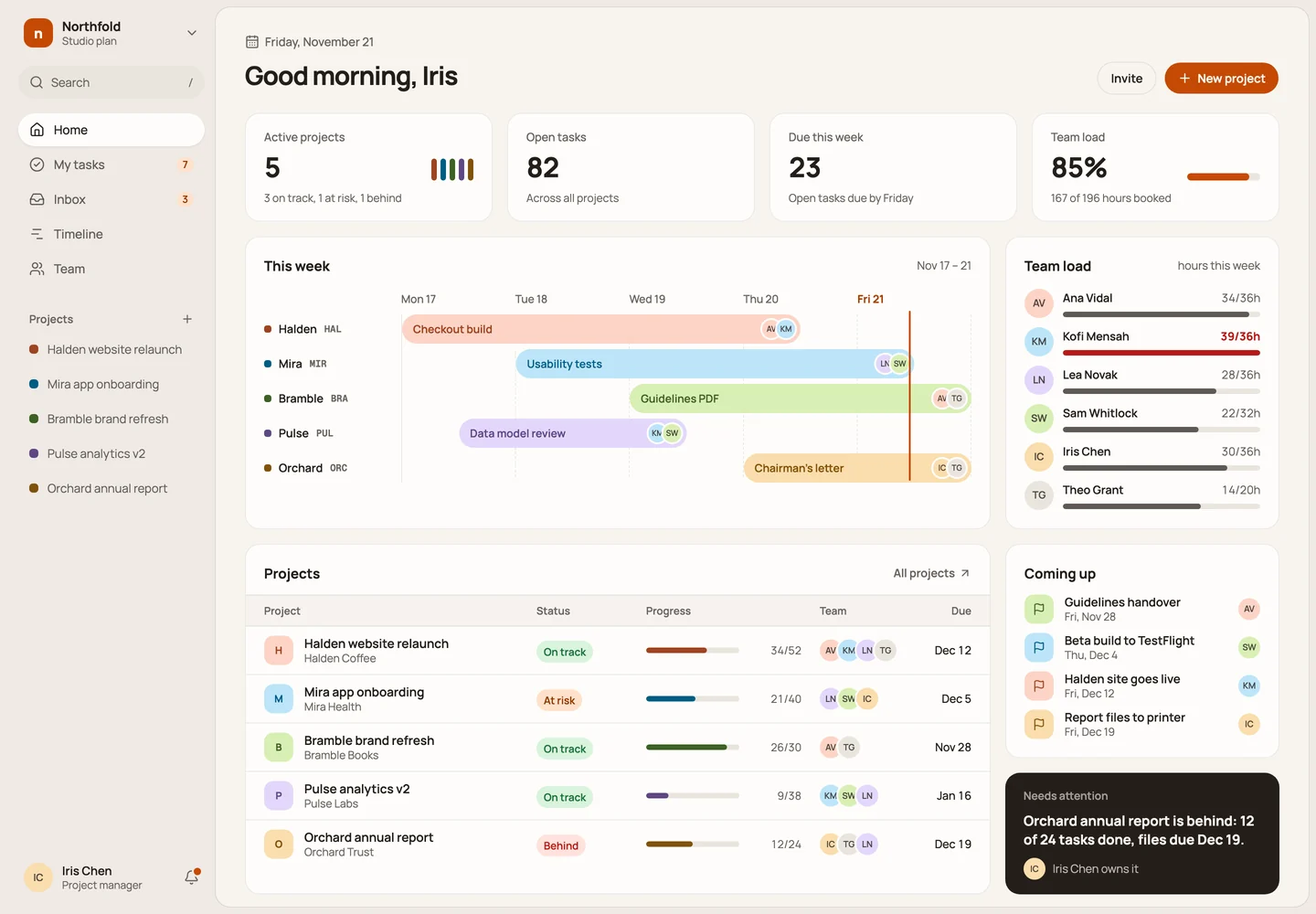
01Overview 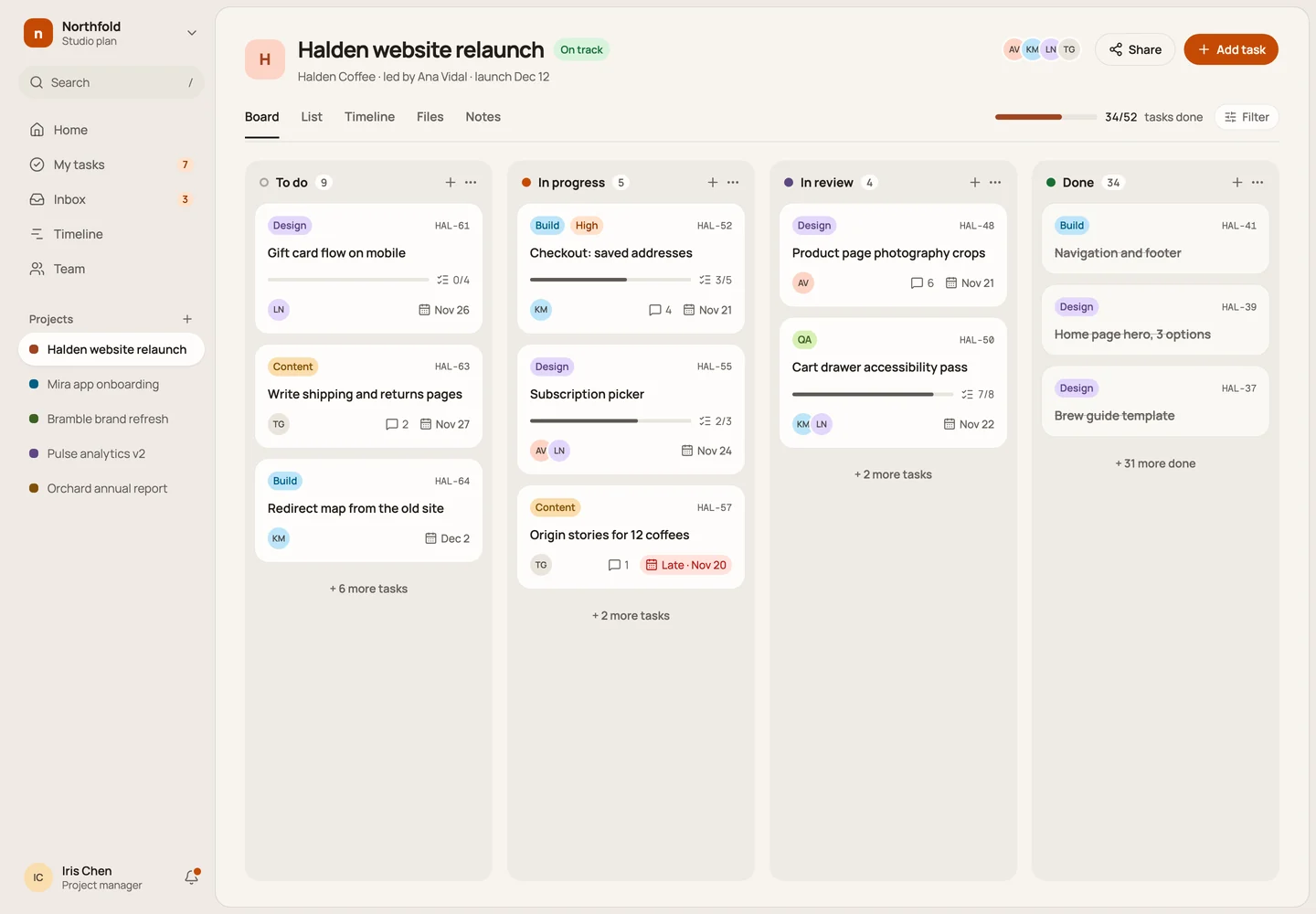
02Kanban board 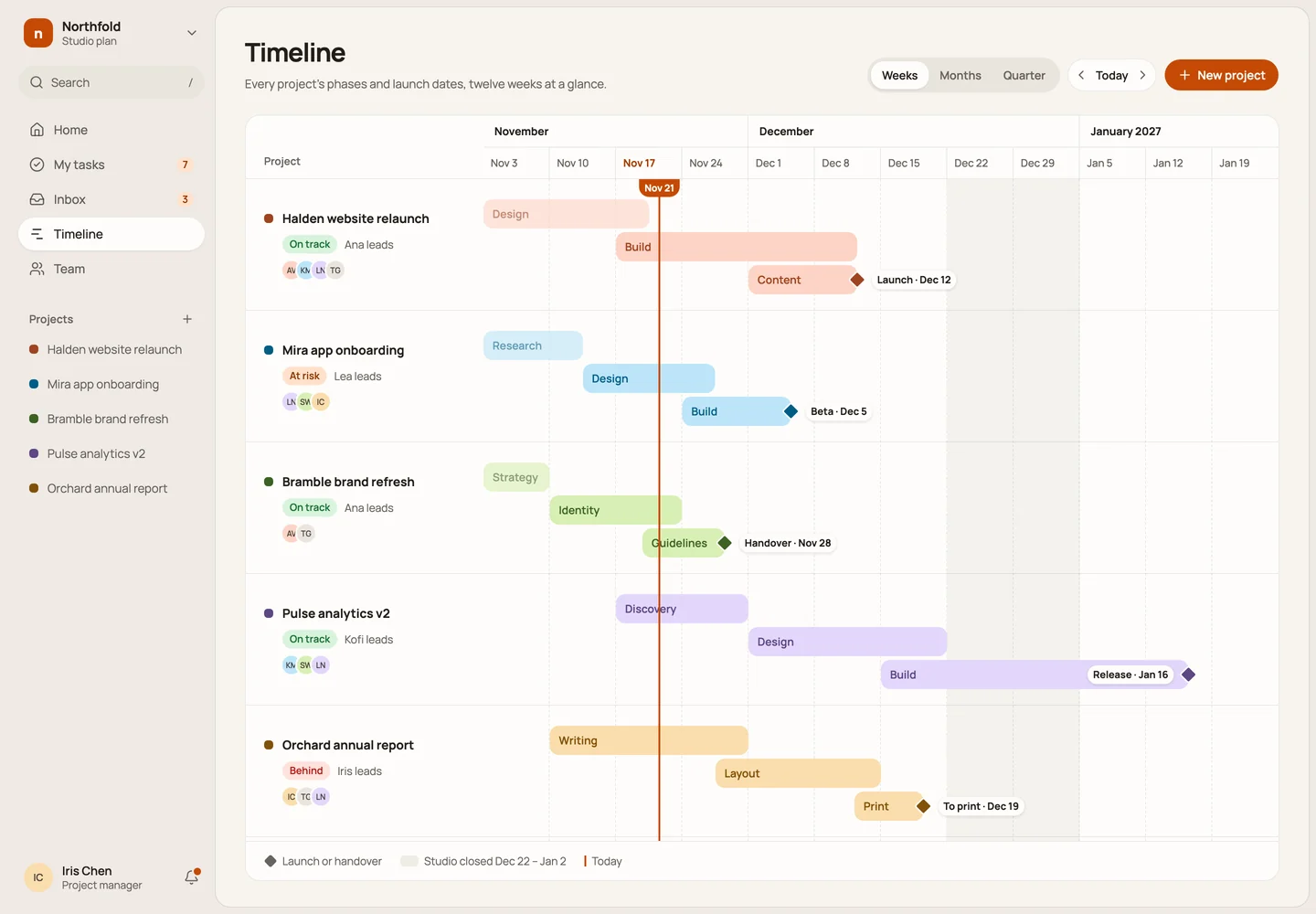
03Gantt timeline
Clone it
npx degit ummydev/ui-templates/shadcn/project-dashboard my-app
Copies just this template into a new folder, without the rest of the repository.
Make it yours
This is the Project management dashboard template from codexdesign.io. Rename it to [your product], replace the sample data with [your features], and keep every screen on the design system in DESIGN.md.
Paste this into Codex or Claude Code in the new folder.
Design system
KilnWebBone paper, charcoal ink and one kiln-orange accent, so a busy week reads at a glance.Headings in Manrope- Built with
- React · shadcn/ui · Tailwind CSS v4 · Lucide icons
What’s in the template
| Screen | What’s on it | Components used |
|---|---|---|
| Overview | Four KPI cards, this week’s schedule with a today line, team load, a projects table, deadlines and a needs-attention card | shadcn/ui Button, Tailwind cards, pill bars and load bars, Lucide icons |
| Kanban board | One project’s header with status and team, tabs, task progress and four columns of task cards | shadcn/ui Button, Tailwind columns and task cards, Lucide icons |
| Gantt timeline | Twelve weeks under month headers, three phase bars per project, launch diamonds, a studio holiday and the today line | shadcn/ui Button, Tailwind grid and phase bars, Lucide icons |
Every screen shares the same shell: a warm stone frame with a sidebar that holds the Northfold workspace, search, navigation with counts (My tasks 7, Inbox 3), the five projects with their colors, and Iris Chen, the project manager who is signed in.
Overview
The overview opens with the date, Friday, November 21, a greeting for Iris, and Invite and New project buttons. Four KPI cards follow: 5 active projects (3 on track, 1 at risk, 1 behind), 82 open tasks, 23 tasks due this week, and a team load of 85%, 167 of 196 hours booked. Below them, This week lays out Monday the 17th to Friday the 21st as a small schedule, one pill bar per project with what it’s working on and who, crossed by a line for today. Next to it, team load lists six people’s hours against their capacity, and Kofi Mensah’s 39 of 36 turns red. The projects table gives each project’s client, status, progress (tasks done of total), team, and due date; on the right are the next four deadlines and one dark card for the project that needs attention: the Orchard annual report, 12 of 24 tasks done, with files due Dec 19.
Kanban board
The kanban board shows one project, the Halden website relaunch for Halden Coffee: led by Ana Vidal, on track, launching Dec 12, with 34 of 52 tasks done. Under tabs for Board, List, Timeline, Files, and Notes are four tinted columns: To do (9), In progress (5), In review (4), and Done (34). Each card has a type tag (Design, Build, Content, or QA), a task key such as HAL-52, the title, subtask progress, the people on it, comments, and a due date; one task is marked High priority, a late task gets a red “Late” chip, and each column ends with how many more tasks it holds. The board is a static layout, so cards don’t drag yet; ask your agent to add drag and drop when you connect real data.
Gantt timeline
The timeline is a Gantt chart of all five projects over twelve weeks, from the week of Nov 3 to the week of Jan 19, under November, December, and January 2027. Each project’s row has its status, its lead and team, three phase bars (for Halden: Design, Build, and Content), and a diamond with its launch or handover date: Bramble’s handover on Nov 28, Mira’s beta on Dec 5, Halden’s launch on Dec 12, Orchard’s files to print on Dec 19, and Pulse’s release on Jan 16. Phases that have already ended fade back, the studio’s closure from Dec 22 to Jan 2 is shaded, and an orange line marks today, Nov 21. A Weeks, Months, and Quarter switch sits at the top.
How it’s built
The sample data is one made-up studio’s late November. Every screen reads from src/data.ts, and the totals are computed from it, so the screens agree: the KPIs add up the five projects (82 open tasks, 23 due this week) and six people’s hours (167 of 196, or 85%), and each project’s progress is its done tasks over its total, so Halden shows 34 of 52 on both the overview and the board. The board’s column counts (9, 5, and 4 open, 34 done) are set in src/data.ts to match Halden’s 18 open tasks, and each project’s launch date is one field that the overview, the board, and the timeline all read, so Dec 12 is the same everywhere. All names, clients, and dates are fictional.
Each screen is a React component (src/overview.tsx, src/board.tsx, and src/timeline.tsx) inside a shared shell in src/shell.tsx, laid out at 1440×1000 for a desktop screen; open /?screen=overview, /?screen=board, or /?screen=timeline to switch between them. The only shadcn/ui component it imports is Button: the cards, bars, board, and Gantt grid are plain Tailwind, and the icons are Lucide. The Kiln theme is shadcn’s CSS variables in src/index.css, plus colors of its own for the kiln-orange actions, on track and behind, and a soft fill and a darker ink tone for each project. It runs with Vite: npm install, then npm run dev.
Use it with Codex or Claude Code
Copy just this template from the ui-templates repository:
npx degit ummydev/ui-templates/shadcn/project-dashboard my-projects
cd my-projects && npm install && npm run dev
Then ask your agent to make it yours:
This folder is a project management dashboard template in React, shadcn/ui and Tailwind. Turn it into [your product], for [who it's for]. Keep DESIGN.md and the theme in src/index.css as the design system, replace the sample projects, tasks and people in src/data.ts with [your data], and keep every total computed from it. Then add [the pages you need] and connect it to [your data source].
Because the design system is written down in DESIGN.md, the pages your agent adds next, such as My tasks, Inbox, and Team in the sidebar, or the board’s List, Files, and Notes tabs, will match the three screens.
The overview’s team load card and week view also make a good start for a team workload or HR dashboard: ask your agent to turn the projects into teams and the booked hours into shifts, leave, or open roles.
Built on the Kiln design system
The template uses Kiln, a design system for project management dashboards: bone paper, charcoal ink, one kiln-orange accent, a soft fill and a darker ink tone for each project, Manrope with Geist Mono for task keys, and 14px corners with 16px cards, without glass or gradients. Its page has a live preview, the full DESIGN.md, and a shadcn theme with light and dark colors.
Frequently asked questions
Is this project management dashboard free?
Yes. It’s open source under the MIT license, for personal and commercial projects.
How do I use it with Codex or Claude Code?
Copy it with npx degit ummydev/ui-templates/shadcn/project-dashboard my-projects, open the folder in Codex or Claude Code, and paste the prompt above with your product filled in. The agent reads DESIGN.md for the design system and src/data.ts for the sample data, so it can swap in your projects and add new screens that match the three it starts with.
Can I drag tasks between columns?
Not yet. The board is a static layout that shows where everything goes. Ask your agent to add drag and drop, and to save the new column to your data, when you connect a backend.
Can I use it with Next.js?
Yes. It’s a Vite project, but the parts are standard React, shadcn/ui, and Tailwind CSS v4, so your agent can move the screens, src/shell.tsx, the Button in src/components/ui, and the theme in src/index.css into a Next.js app. Ask it to keep DESIGN.md so the design survives the move.
Does it work on a phone?
Not yet. The three screens are laid out for a 1440-pixel desktop screen. Ask your agent to add a phone layout if your team needs one.
Is there a dark theme?
Not in the template, which is designed in light mode. The Kiln shadcn theme on the design system page includes dark colors to start from.