 Codex Design
Websites made with AI.
What does a website made with AI actually look like? These are real pages and screens that Claude Fable 5.2 in Claude Code and GPT-6.1 Sol and Terra in Codex built for us, each from a short prompt with no design direction, plus what we got once we gave the agent a direction. Use them to see what each model does by default, and to make your own site look designed rather than generated.
Updated November 14, 2026 · 6 min read
How these were made
Every example below comes from our own tests. We gave each model the same prompt in an empty folder, asked for one index.html with Tailwind, and gave no colors, fonts, or style. Then we took screenshots. The prompts are in the Claude Fable 5.2 and GPT-6.1 Terra vs Sol guides. One run per prompt is a small sample, so read these as typical results, not the best each model can do.
| Example | Built by | Tool |
|---|---|---|
| Landing page for an invoicing app | Claude Fable 5.2, GPT-6.1 Sol, GPT-6.1 Terra | Claude Code, Codex |
| SaaS analytics dashboard | Claude Fable 5.2, GPT-6.1 Sol, GPT-6.1 Terra | Claude Code, Codex |
| Habit tracker app screen | Claude Fable 5.2, GPT-6.1 Sol, GPT-6.1 Terra | Claude Code, Codex |
| Coffee subscription app, three directions | Codex | Codex Design canvas |
| Roastery dashboard, wireframe to mockup | Codex | Codex Design canvas |
Landing pages
The prompt asked for a landing page for Tally, an invoicing app for freelancers, with a hero, three features, two pricing plans, and a footer.
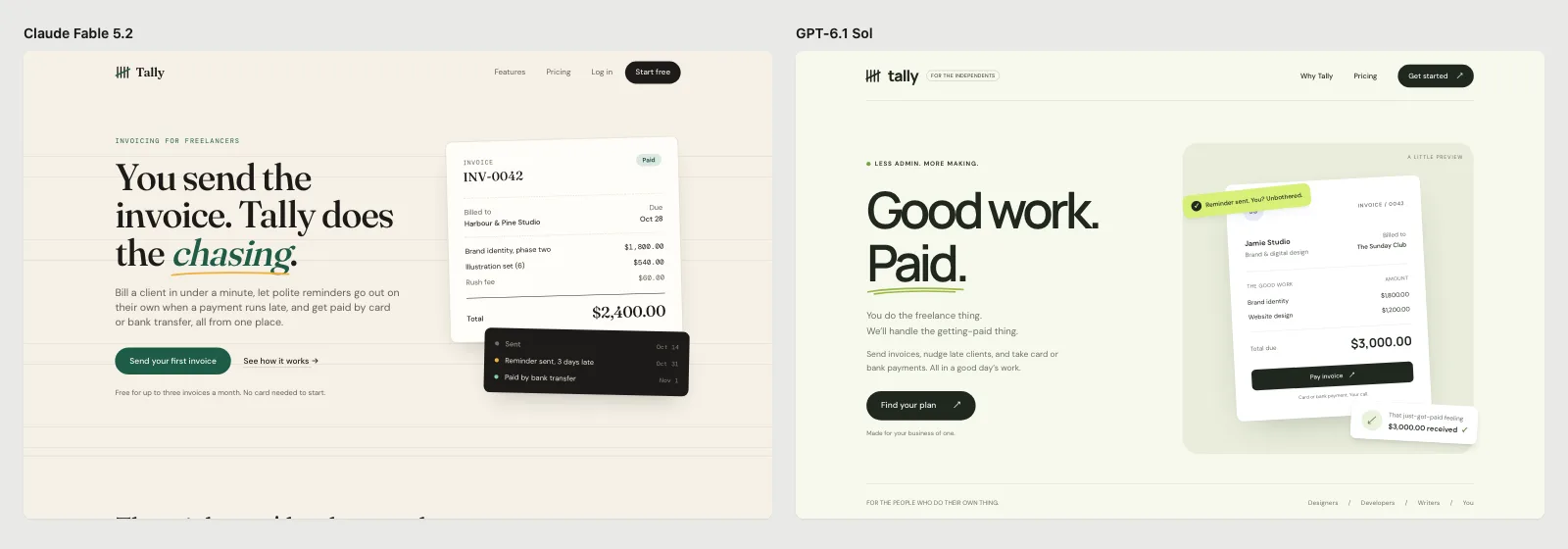
Claude Fable 5.2 on the left, GPT-6.1 Sol on the right.
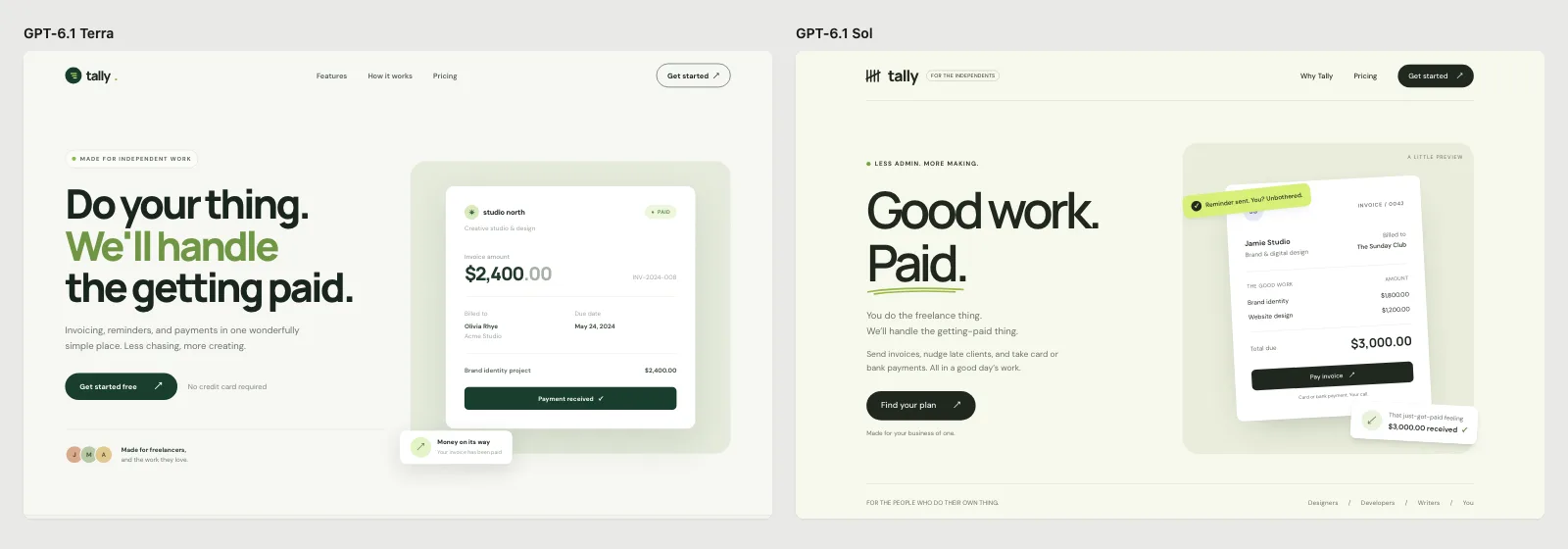
GPT-6.1 Terra on the left, GPT-6.1 Sol on the right: almost the same page.
Fable 5.2 wrote copy that fits the product (“You send the invoice. Tally does the chasing.”) and used inline SVG icons. Both GPT-6.1 models used emoji as icons and reached for the same sage green and DM Sans.
Dashboards
The prompt asked for the main dashboard of a subscription analytics app: MRR, churn, customers, a revenue chart, and recent events.
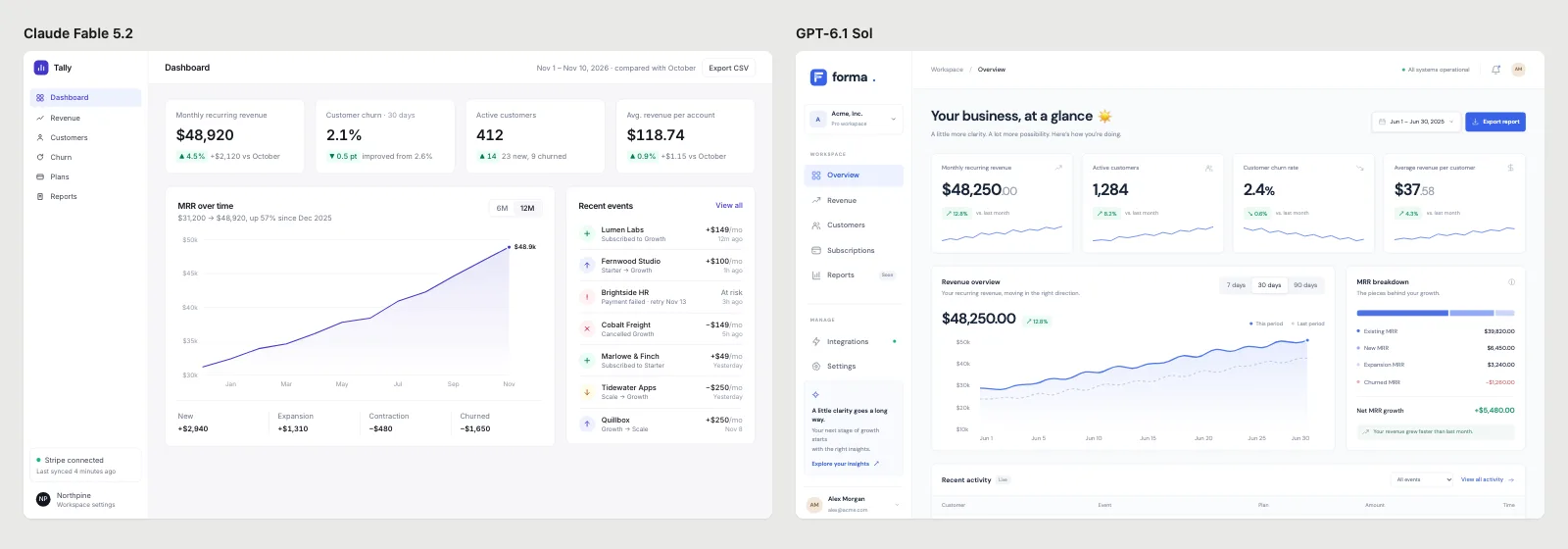
Claude Fable 5.2 on the left, GPT-6.1 Sol on the right.
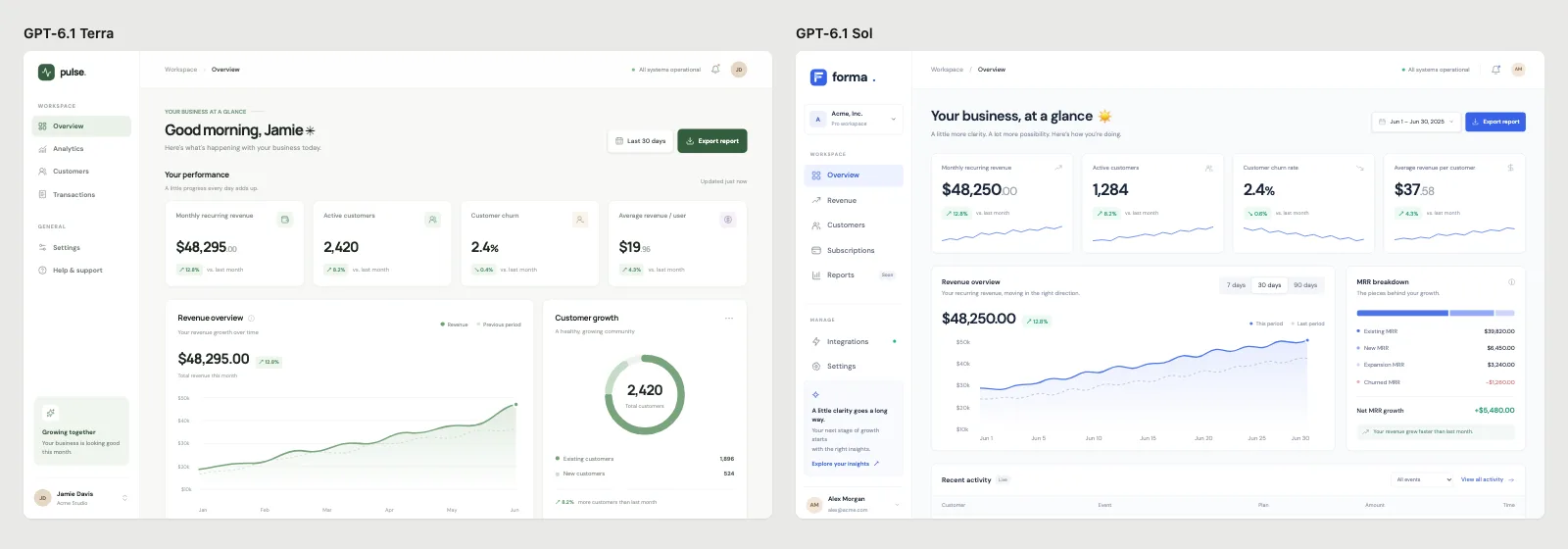
GPT-6.1 Terra on the left, GPT-6.1 Sol on the right.
With nothing to say about style, all three models built the same layout: a left sidebar, four metric cards and a chart, with MRR near $48,000. Fable 5.2 fell back to Inter and indigo.
App screens
The prompt asked for the home screen of a habit tracker at 390×844: today’s habits, a streak, and a bottom tab bar.
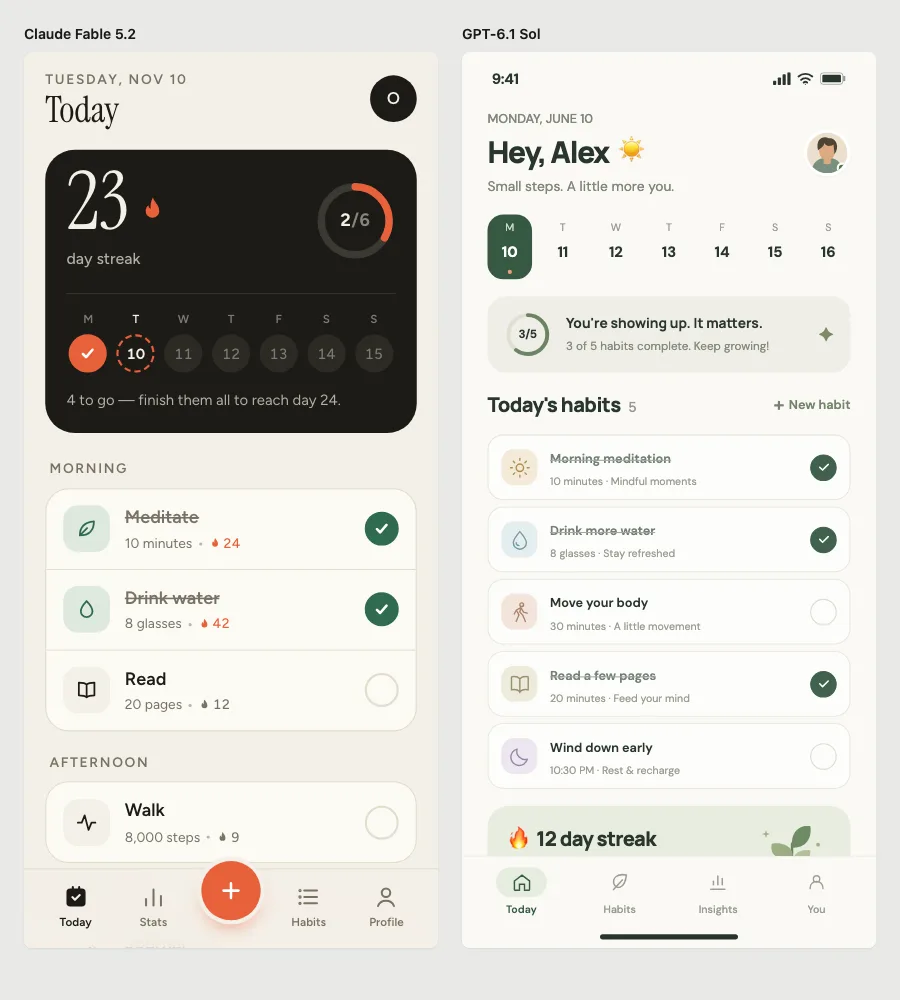
Claude Fable 5.2 on the left, GPT-6.1 Sol on the right.
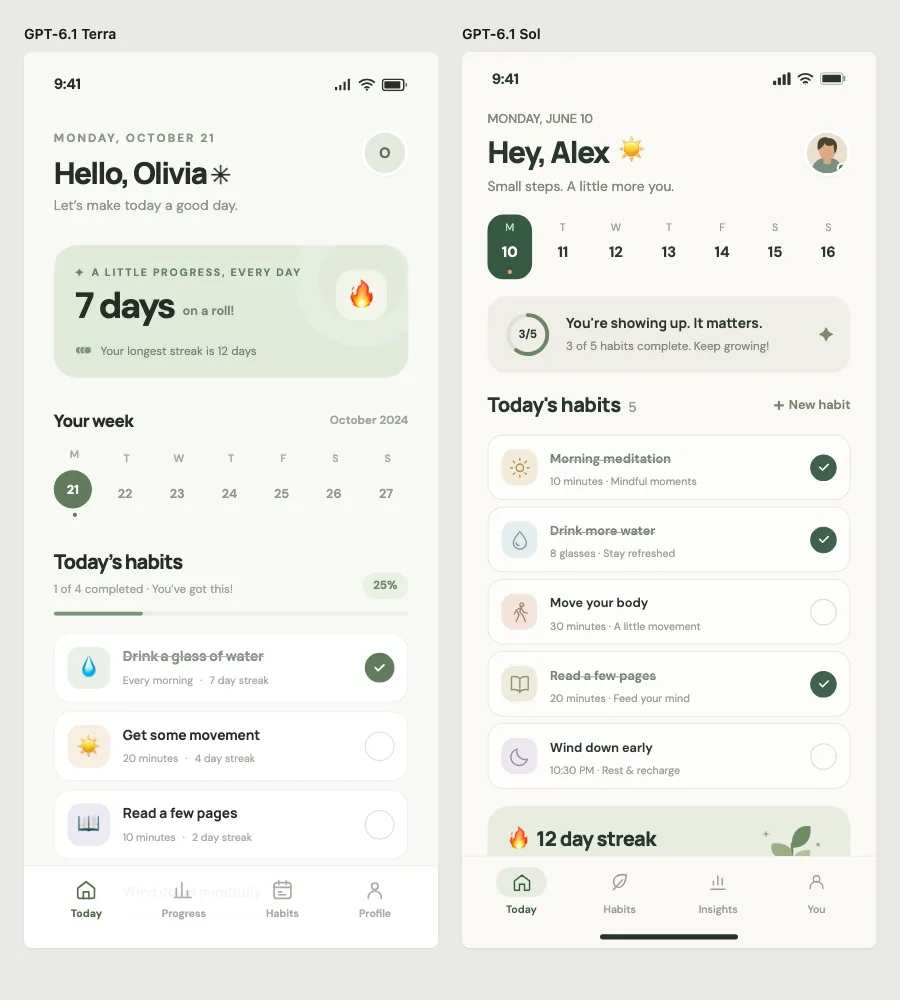
GPT-6.1 Terra on the left, GPT-6.1 Sol on the right.
With a brief: three directions instead of one
The results change when you brief the agent like a designer: give it the product and audience, and ask for several directions. This coffee subscription app came from one brief in Codex, which returned three directions as live HTML screens.
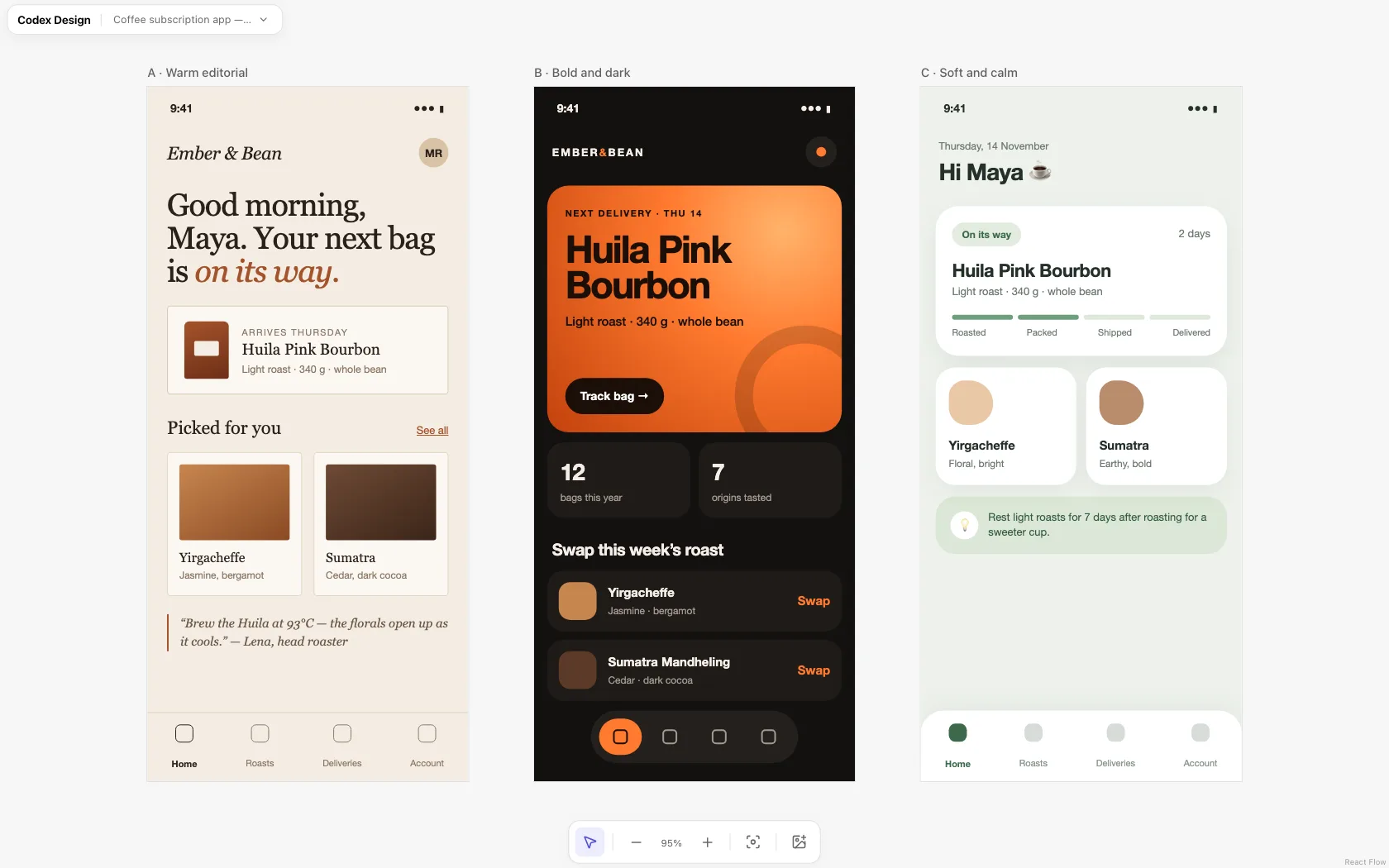
The brief is in UI design with Codex.
From wireframe to finished screen
You can also start rough. Here Codex drew a grayscale wireframe of a roastery dashboard to settle the layout, then turned it into a high-fidelity mockup.
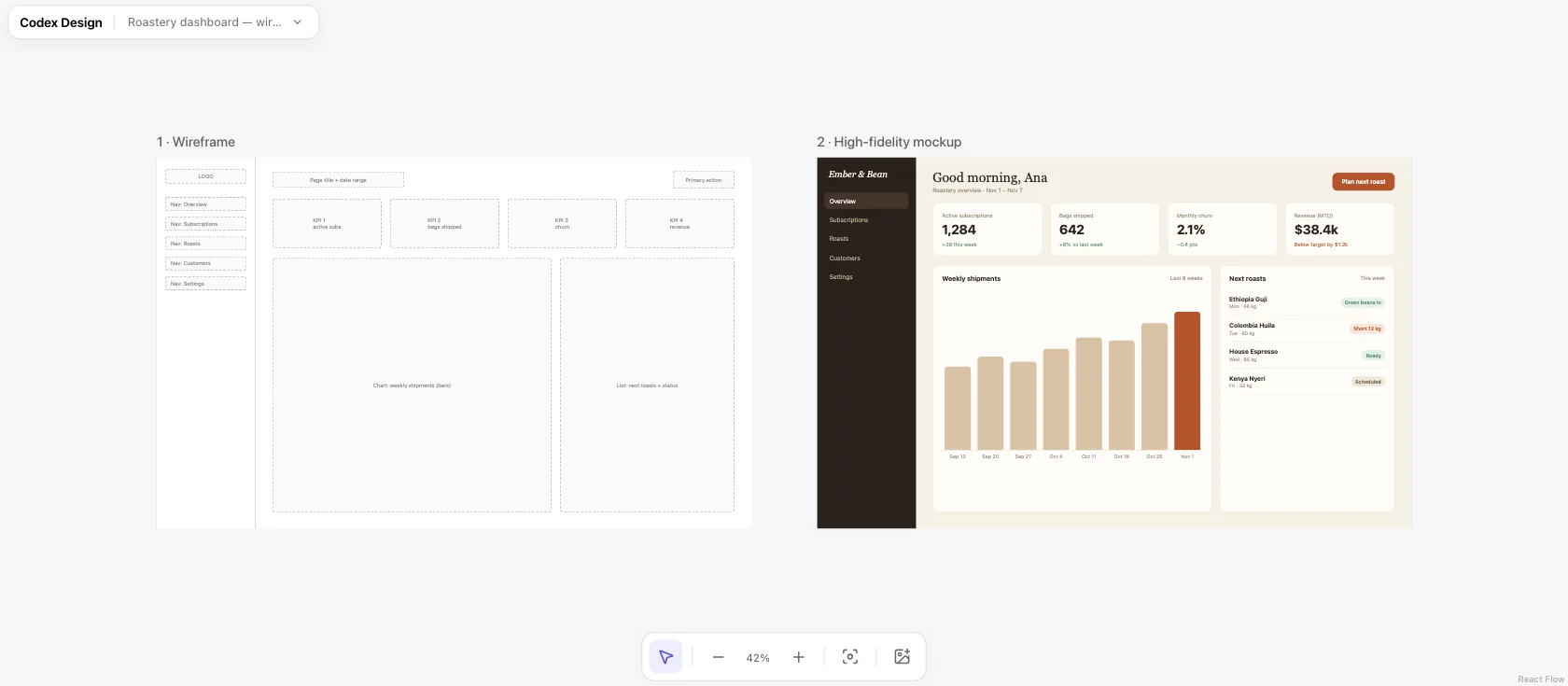
How to do it step by step: AI UI mockups.
What websites made with AI have in common
Left alone, every model has a default look, and everyone who asks without direction gets it:
- GPT-6.1 (Codex): pale sage green, DM Sans and Manrope, emoji used as icons.
- Claude Fable 5.2: a warm cream background, a serif headline with one word in italics, a dark green or orange accent, and small all-caps labels. On dashboards, Inter and indigo.
- All of them: a hero on the left with a card floating on the right, three feature cards, and believable but similar numbers.
We list twelve of these signs, with a fix for each, in AI UI design tells.
How to make yours look designed
Give the agent a direction before it builds. The quickest way is a design system it can follow: a DESIGN.md file with your colors, fonts, radius and spacing.
Before building, read DESIGN.md and use only its colors, fonts, radius and spacing. Don't default to a cream background with a serif headline, sage green, Inter or emoji icons. Use realistic content for [your product], then build [the page].
If you don’t have a design system, start from one of ours: 24 design systems with live previews, or a complete website template with eight pages in HTML and Tailwind that Codex or Claude Code can clone and make yours. To publish a site straight from ChatGPT or Codex, see ChatGPT Sites.
Frequently asked questions
Can AI make a whole website?
Yes. Every example here is a working HTML page that an AI agent wrote in one to three minutes. Claude Code reported $0.34 to $0.42 per screen at API prices for Fable 5.2. What it can’t do by itself is know your brand, so without direction you get the model’s default look.
Which AI makes the best-looking websites?
In our tests, Claude Fable 5.2 avoided emoji icons and wrote better copy, while GPT-6.1 Sol and Terra were nearly identical to each other. But a design system or a design skill changed the result more than switching models did.
Are these websites free to use?
The screenshots are from our tests. The templates and design systems on Codex Design are free and open source under the MIT license.
Keep reading
- Claude Fable 5.2 for UI designThe full test: prompts, timing, cost and checker results.
- AI UI design tells, and how to avoid themTwelve signs a UI looks AI-made, and prompts that fix each one.
- UI templates for AI agentsComplete app and website designs with source code, ready for Codex and Claude Code.